How to Qualify Leads Automatically on Your Website
Automate lead scoring, AI chat, behavior tracking, and instant alerts to qualify website visitors faster and route high-intent leads to sales.
How to Qualify Leads Automatically on Your Website
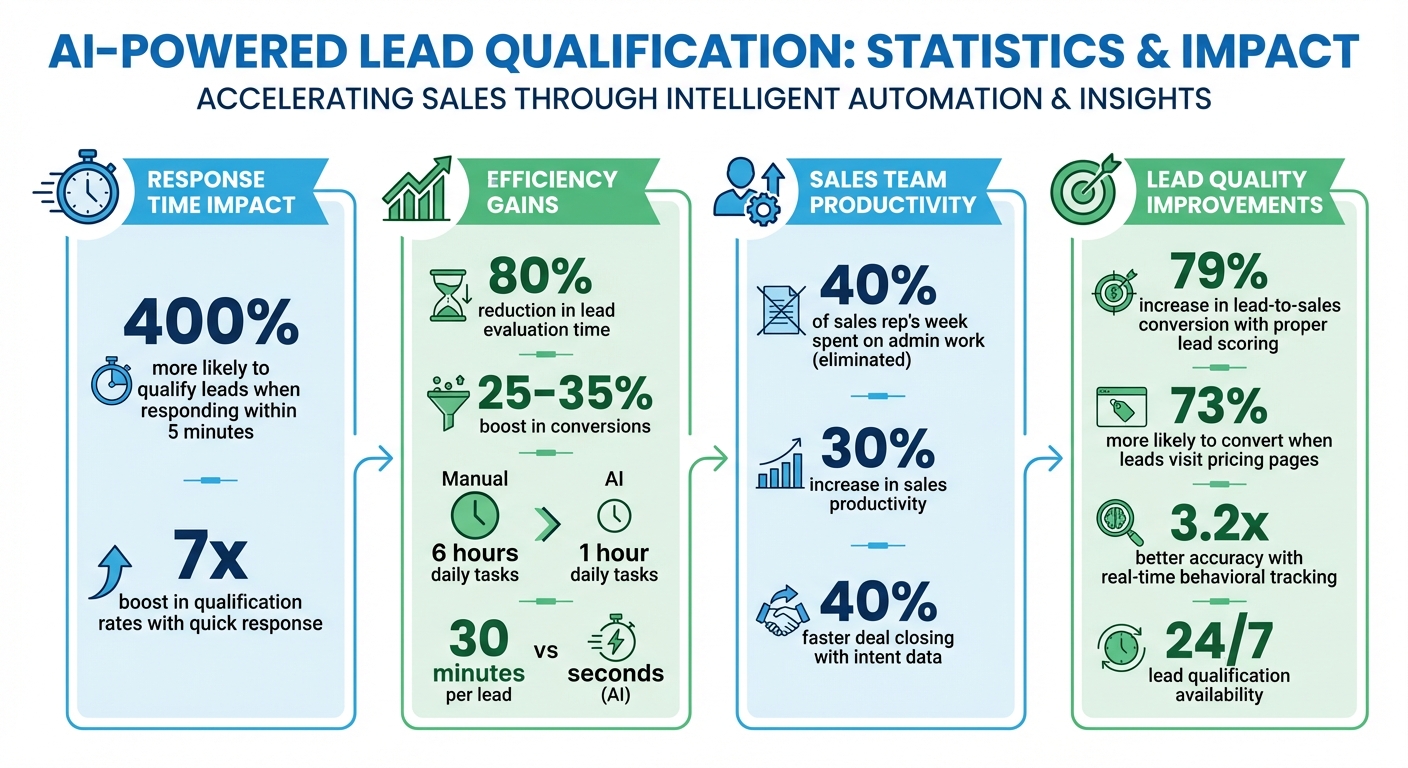
When visitors land on your website, you have only a few minutes to make an impact. Companies that respond to leads within 5 minutes are 400% more likely to qualify them than those that wait longer. Automating lead qualification with AI can save time, improve accuracy, and increase conversions. Here's how:
- AI-Powered Lead Scoring: Tools like LeadPilot analyze visitor behavior (e.g., viewing pricing pages or requesting demos) and assign scores based on their likelihood to convert.
- Real-Time Engagement: AI chatbots engage visitors immediately, answering questions and gathering data to qualify leads faster.
- Customizable Rules: Define scoring criteria based on your business needs, like job titles, company size, or specific actions.
- Instant Alerts: Get notified when high-priority leads are ready for outreach, ensuring timely follow-ups.
- CRM Integration: Automatically route qualified leads to your sales team, reducing manual work.
Switching to automated systems can cut lead evaluation time by 80%, boost conversions by 25%–35%, and provide consistent 24/7 lead qualification. Whether you're a small business or a large agency, tools like LeadPilot make it simple to set up, customize, and optimize your lead generation process.
AI Lead Qualification Statistics and Benefits
Step 1: Install LeadPilot on Your Website
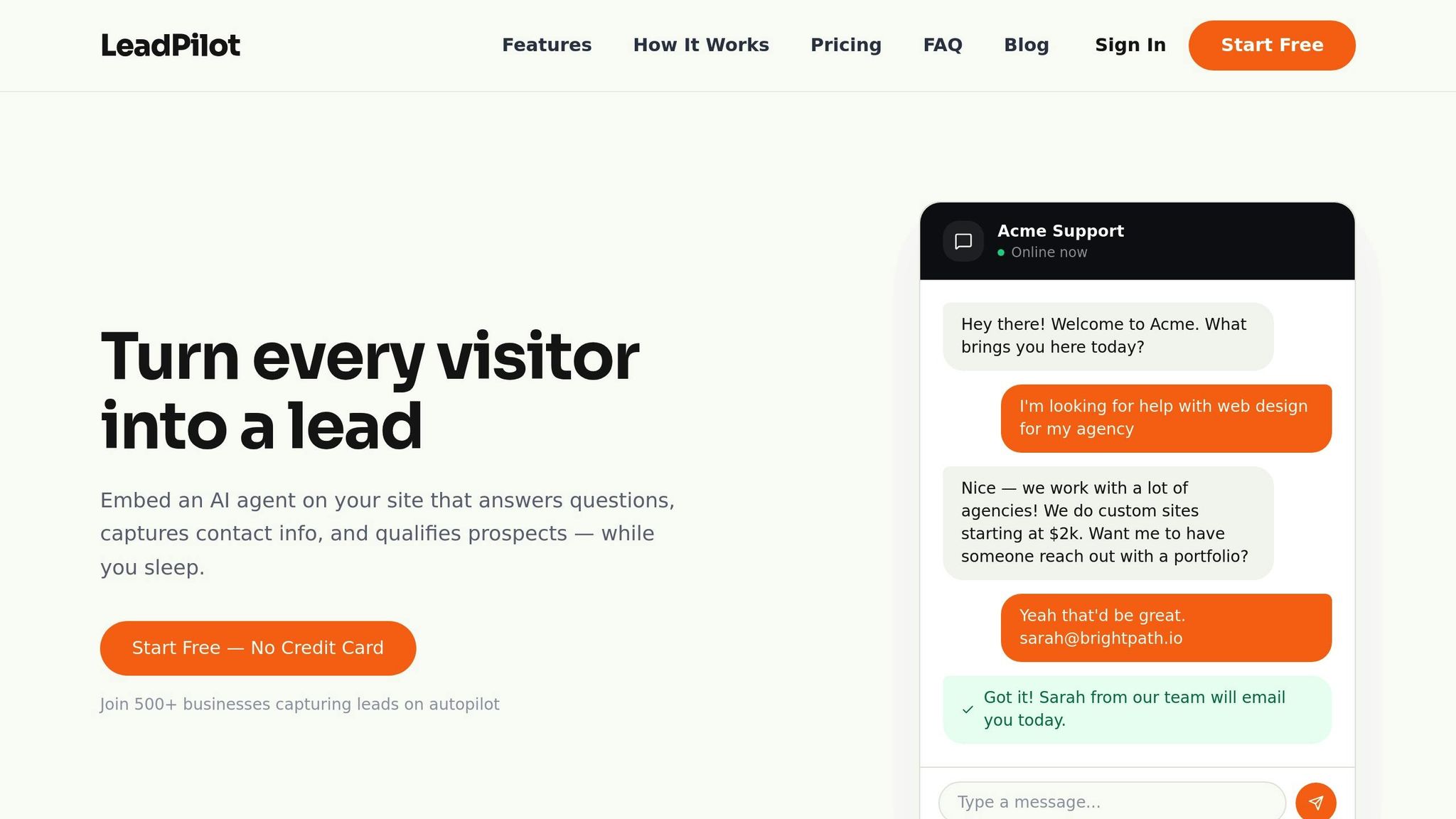
Add the LeadPilot Code to Your Site
Getting LeadPilot up and running is quick and straightforward. Just head to your LeadPilot dashboard, copy the provided embed code, and paste it into your website's header or footer.
This embed code is compatible with all major platforms like WordPress, Webflow, Squarespace, Shopify, and even custom HTML sites. Once added, the code automatically loads on every page of your site. From there, the AI starts working immediately, analyzing your content in real time.
How the AI Learns Your Website Content
After the code is live, LeadPilot's AI begins scanning your website to understand its content. It doesn’t just skim for keywords - it uses full-context analysis to truly grasp the details.
The AI collects key information such as product descriptions, pricing details, "About Us" sections, case studies, and FAQs. This thorough process ensures the chatbot can answer visitor questions with precision, removing the need for manual data input or pre-written scripts.
sbb-itb-b3fe1da
Step 2: Configure AI Conversations and Lead Scoring
Adjust Conversation Style and Branding
Your AI should reflect your brand's personality. In the dashboard's Instructions section, you can fine-tune its tone to match your style - whether that's casual and approachable, strictly professional, or somewhere in between.
To maintain a cohesive brand experience, customize the AI's visual elements. Upload your logo, tweak the color scheme, and choose fonts that align with your branding. This creates a seamless experience for visitors, from their first impression of your website to their interaction with the AI.
You can also enhance the AI's knowledge base by uploading helpful documents like product spec sheets, pricing guides, or detailed FAQs. These resources allow the AI to respond to customer inquiries with greater accuracy and depth.
Once your AI is set up, the next step is identifying high-value leads.
Set Up Lead Scoring Rules
Lead scoring helps your team focus on the most promising prospects. Using LeadPilot, you can define what makes a lead "qualified." For instance, you might prioritize factors like job title, company size (e.g., 50–500 employees), or specific high-value actions - such as visiting your pricing page or requesting a demo.
In the LeadPilot dashboard, you can assign points to different actions based on their intent level. For example, a visit to the pricing page could earn +15 points, while requesting a demo might be worth +25 points. Negative scoring can also be applied to filter out unqualified visitors, like competitors, students, or contacts outside your target region.
Research shows that proper lead scoring can boost lead-to-sales conversion rates by 79%. To make this system actionable, set a threshold score - such as 60 or 80 points - that triggers an alert to your sales team. This ensures they know exactly when a lead is ready for outreach.
Automate Lead Enrichment & Routing with AI in Zapier | Full Tutorial
Step 3: Monitor Visitor Behavior and Qualify Leads Automatically
Once you've set up AI-driven conversations and lead scoring rules, the next step is to keep tabs on visitor behavior in real time. By doing this, you can dynamically qualify leads without extra effort, ensuring every interaction counts.
Track Visitor Actions on Your Website
LeadPilot keeps a close eye on how visitors interact with your site - tracking metrics like pages visited, session duration, scroll depth, and content engagement. These insights help uncover subtle buying signals that might otherwise go unnoticed.
The platform focuses heavily on bottom-of-funnel pages such as pricing, product comparisons, ROI calculators, and demo request forms. Why? Because these pages often reveal a strong intent to buy. For instance, visiting a pricing page can significantly boost a lead's score, while filling out a demo request form takes it to another level.
Timing also plays a critical role. LeadPilot uses time-decay models to prioritize recent activity, so someone who browsed your site today will rank higher than someone who visited weeks ago. It also factors in engagement frequency - if a visitor returns multiple times within a short period, their score increases. For example, multiple visits within 24 hours often signal serious purchase intent.
Use Behavior and Chat Data Together
Combining behavioral data with insights from AI-driven conversations creates a powerful way to qualify leads. This approach highlights both how ready a lead is to buy and whether they’re a good fit for your product.
Real-time behavioral tracking enhances AI lead qualification accuracy by 3.2x compared to relying on static data alone. For example, if a visitor spends five minutes on your technical documentation page and then asks your AI chatbot about enterprise pricing, LeadPilot connects the dots. It merges implicit signals (like time spent on a page) with explicit ones (like chat responses about budget or timeline) to form a comprehensive view of lead quality.
This combined strategy is why leads scored with AI are 73% more likely to convert if they’ve visited pricing pages. It also explains why sales teams using intent data close deals 40% faster than those relying on traditional methods. These insights don’t just sit idle - they trigger real-time alerts for your sales team, setting the stage for the next step.
Step 4: Get Instant Alerts and Send Leads to Your Sales Team
LeadPilot's notification system ensures your sales team can act quickly when a lead shows interest, cutting out unnecessary delays.
Set Up Email Alerts for Qualified Leads
To stay on top of lead activity, head to the User Settings menu and enable Email Notifications for general updates and SMS Notifications for high-priority leads. You can customize thresholds to trigger alerts when a lead scores between 71–100. These alerts provide essential details like contact information, the lead's qualification score, key engagement signals (e.g., pricing page visits), and even suggested talking points based on their behavior.
For leads showing strong intent - like those requesting a demo or repeatedly visiting pricing pages - set up SMS alerts for immediate action. If no one responds to a high-priority lead within a set timeframe, use fallback routing to escalate the alert to a manager.
Once your alerts are ready, you can forward qualified leads directly to your sales team without any extra steps.
Route Leads to Your Sales Team
LeadPilot integrates seamlessly with CRMs like Salesforce and HubSpot, as well as email platforms like Gmail and Outlook, to instantly transfer lead data. This automation eliminates manual work and ensures your team has all the information they need right away.
You can customize how leads are routed based on their scores. For example, send "Hot" leads (71–100) to senior account executives, while lower-scoring leads can go to SDRs for further nurturing. LeadPilot also supports round-robin distribution, territory-based routing for regional expertise, and skill-based assignments for more specialized needs.
During CRM setup, enable activity logging to give sales reps a complete view of AI-driven interactions, including sent emails and chat transcripts, all tied to the contact record. This streamlined process ensures your team has all the context they need to follow up effectively, bridging the gap between lead tracking and actionable sales steps.
Select Your LeadPilot Plan
With qualified leads flowing directly to your sales team, the next step is choosing a plan that aligns with your business needs. The right choice depends on how many monthly conversations you handle and whether you need multiple AI agents for different teams or websites.
Start by reviewing your current inquiry volume. If you're managing fewer than 1,000 conversations per month, the Starter plan at $49/month is a great fit. It includes one AI agent, basic lead scoring, and email notifications - perfect for small businesses. For companies handling between 1,000 and 5,000 monthly conversations, the Growth plan at $99/month offers more flexibility, with up to three AI agents to manage various product lines or dedicated sales and support teams.
For agencies or businesses with high website traffic, the Scale plan at $199/month is the top choice. It removes limits on both conversations and AI agents, while also offering white-label branding to remove the LeadPilot logo - ideal for managing multiple client sites.
LeadPilot Plan Comparison
| Plan Name | Monthly Price | Conversation Limit | AI Agents | Best For |
|---|---|---|---|---|
| Free | $0 | 50 | 1 | Testing the platform |
| Starter | $49 | 1,000 | 1 | Small businesses |
| Growth | $99 | 5,000 | 3 | Growing companies |
| Scale | $199 | Unlimited | Unlimited | Agencies and large teams |
If you're unsure about committing to a paid plan, try the Free plan first. It allows up to 50 conversations - enough to test your lead qualification logic and fine-tune scoring rules. Keep in mind that responding quickly to leads can boost qualification rates by 7x. Choose a plan that supports the level of responsiveness your business needs.
Conclusion
By setting up, configuring, and automating lead tracking, it's clear that LeadPilot revolutionizes how your website turns visitors into sales opportunities. Instead of spending up to 30 minutes per lead, your AI agent evaluates and scores prospects in just seconds. This shift eliminates the administrative workload that eats up nearly 40% of a sales rep's week, giving your team more time to focus on closing deals.
With AI-powered conversations, behavior tracking, and instant notifications, LeadPilot ensures 24/7 lead qualification. Even while your team is off the clock, LeadPilot engages visitors and delivers high-intent leads straight to your inbox. Responding quickly to these leads significantly boosts qualification rates, and automation ensures you never miss a critical opportunity.
The consistency of AI is another major advantage. By applying the same qualification criteria to every lead, it guarantees an objective and uniform evaluation process. This means your sales team receives a steady flow of vetted prospects, avoiding the frustration of sifting through unqualified leads.
The time savings are undeniable. Automated qualification reduces daily tasks from 6 hours to just 1 hour, while increasing conversion rates and sales productivity by up to 30%. As Younès Benallal from Typebot puts it:
"The ROI isn't just in closing more deals, but reducing waste".
With LeadPilot managing lead qualification around the clock, your team can focus on what they do best - closing deals.
FAQs
What lead score should trigger sales outreach?
There isn’t a one-size-fits-all lead score threshold for deciding when to initiate sales outreach. Many systems use a scoring range, such as 0-100, with leads scoring 70 or higher often considered ready for sales. However, the ideal score varies based on your specific scoring model and criteria. Higher scores generally reflect stronger buying intent, making it crucial to set clear thresholds during setup. This helps you pinpoint high-potential leads and ensures timely follow-up.
How do I choose which pages/actions affect scoring?
To identify buying intent, pay attention to behavioral signals like page views, time spent on-site, clicks, and even exit intent. Actions such as exploring pricing or demo pages and scrolling through essential content are particularly telling. By leveraging AI to analyze behavior in real-time and track over 350 signals, you can pinpoint high-intent leads more accurately. This ensures that the most relevant behaviors play a significant role in shaping lead scoring.
How do I prevent unqualified leads from being flagged?
To keep unqualified leads from slipping through, use filtering and scoring systems designed to pinpoint high-quality prospects. Start by setting clear qualification criteria and scoring thresholds. These will act as benchmarks, ensuring only leads that meet your standards move forward.
Incorporate workflows to automatically route leads that align with your specific requirements. For an extra edge, leverage AI tools to analyze engagement patterns and behavioral data - this can help fine-tune your process and identify the best opportunities.
Don’t forget to regularly review and adjust your scoring models. This step is crucial to maintaining accuracy and minimizing false positives. By refining your system over time, you’ll build a process that consistently delivers better results.